
Create BMEcat with Ease: Optimize Product Data for E-Marketplaces Such as simple system, Mercateo, and Others
You’re probably all too familiar with this: In today’s business world, so many different things are constantly changing. Sometimes it’s hard to keep up with complying with new guidelines or implementing new digital technologies. At the same time, you’re glad that the heavy file folders of the past are now more the exception than the rule. But one thing is already certain amid all this change: Product Data and pricing information will continue to be crucial factors for success in your e-business.
As a retailer, data is essential for presenting your products and services in an appealing way. At the same time, your data helps build customer trust in your company. The more meaningful the data, the more likely customers are to make a (satisfactory) purchase decision.
The problem is that your product and pricing data isn’t “intrinsically” formatted in the best way possible. While changes to Product Data and daily price updates are necessary, making them manually takes up a lot of valuable time. To unlock the full potential of your data, a well-thought-out product data management system is therefore essential.
After all, Product Data and price lists play a crucial role not only in your own online store, but also on external procurement platforms such as simple system and on B2B marketplaces such as Mercateo.
What sounds like a given unfortunately doesn’t always hold true in practice: You’ve probably noticed incomplete, outdated, or incorrect product information on procurement platforms or B2B portals from time to time. This is frustrating—for both the retailer and potential customers—because, when in doubt, those potential customers may never become actual customers at all.
The good news: The path to professional data management is shorter than you might think.
Data Syndication with CatalogExpress: Data Standards, Classifications, and More
Here at nexoma, we set out nearly 15 years ago with the goal of helping you unlock the full potential of your Product Data. Our data syndication solution, “CatalogExpress,” is designed to optimize your feed management and enable the automated delivery of your Product Data and pricing information.
But what does“data syndication”actually mean? The term describes an automated process: First, Product Data and prices are consolidated from internal systems such as PIM or ERP, as well as from files if necessary. Next, the source data fields (e.g., product name, price) are mapped to the corresponding fields in the target format. The data can then be converted into the formats required by platforms (e.g., BMEcat). Finally, this optimized data is forwarded, for example, to the e-procurement platform simple system or the B2B marketplace Mercateo. This automation eliminates time-consuming manual adjustments, which would be particularly inefficient when dealing with multiple products or services.
CatalogExpress can help you with this: With this Software-as-a-Service solution, you can transform your Product Data and pricing information to comply with the technical structures of various required data standards and classifications.
Thanks to various standard interfaces, you can import and manage your data in CatalogExpress directly from a variety of sources without any detours. Hosted in Germany, the software allows you to import data both from individual files (e.g., CSV Excel lists) and directly from your PIM, ERP, DAM, or MDM systems.
To do this, CatalogExpress uses pre-built connectors to PIM systems such as Akeneo, ATAMYA / eggheads, Contentserv, Crossbase, OMN by Apollon, Pimcore, and Viamedici, as well as to e-commerce platforms such as Shopware.
CatalogExpress is capable of generating cross-industry exchange formats such as the Excel format XLSX, as well as CSV, XML, JSON, BMEcat, and ETIM xChange, along with industry- or country-specific formats such as FAB-DIS, DPB, and BMDG. Particularly convenient: Many of these target formats are already stored as templates in CatalogExpress. Alternatively, you can, of course, manually define your own target formats. In addition to outputting various ECLASS versions, CatalogExpress can also map other classifications such as ETIM in different versions (e.g., for Mercateo according to ETIM 4.0, ETIM 5.0, ETIM 6.0, and ETIM 7.0).
By the way: You can also create and process e-invoices using CatalogExpress, for example, in the standardized XRechnung format.
This versatility is one of CatalogExpress’s greatest strengths: its technical capabilities are as varied as a chameleon’s colors. It’s no coincidence, then, that this adaptable animal graces our CatalogExpress logo.
You can also validate the exchange format that has been generated against a predefined schema. This ensures that all format requirements are always met and that your data is optimized not only in terms of content but also in terms of structure. The actual data delivery takes place either manually or automatically, for example via email or through an SFTP server provided by the customer.
You’ll learn how this type of data optimization works in practice through a use case example in the next section.
Your Automated Data Provision for simple system—eProcurement Made Easy
Let’s say you want to list your products on the simple system eProcurement platform. Ultimately, you and the platform share the same interest as customers: the listed Product Data should be as informative, consistent, and easy to find as possible. At the same time, you want to ensure that even constantly changing price data can be automatically updated and made available.
The simple system procurement platform requires you, as a retailer, to provide data in the BMEcat 1.2 or BMEcat 2005 exchange format. In addition, as of September 2024, your data must be classified according to either ECLASS 5.1 or ECLASS 7.1.
Here’s how it works with CatalogExpress:
Data Integration and Preparation:
First, you’ll use your product and price data. To do this, CatalogExpress accesses your PIM and ERP systems directly via an API, or you can set up a file-based method for using your data. You’ll now see the loaded data sources clearly listed on the input page. Now the actual data optimization can begin.
Data Mapping and Classification:
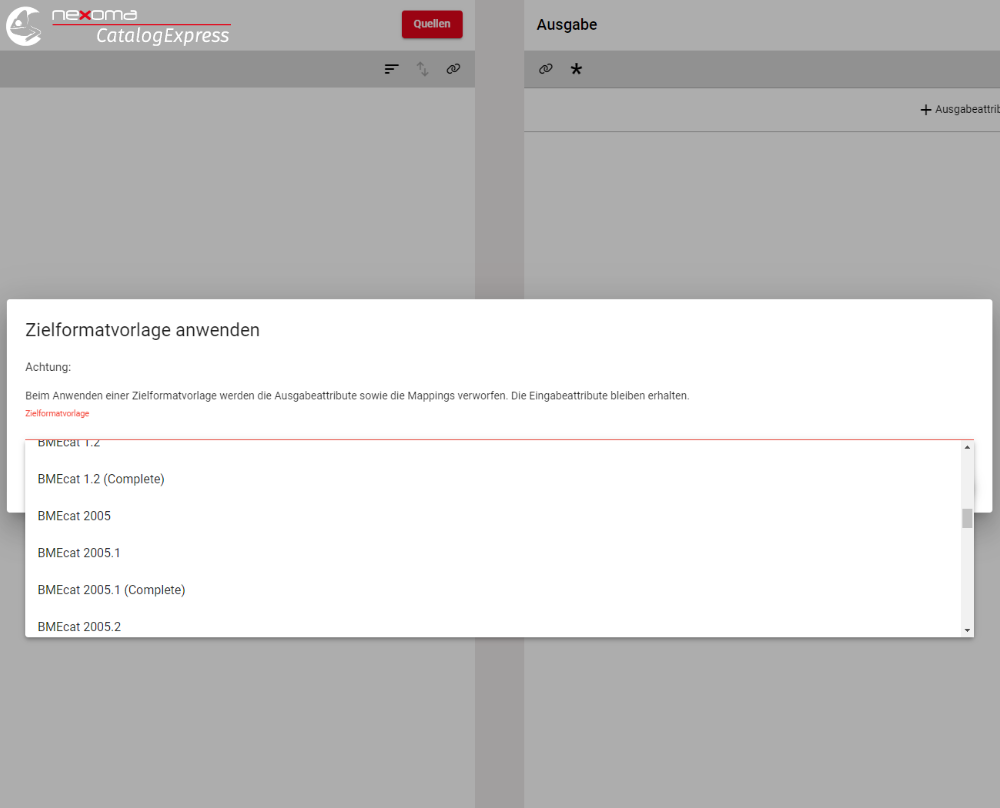
On the right-hand output page, you can now, for example, select the target format template for BMEcat 2005. This will load the predefined BMEcat data structure. Alternatively, you can also use a file with a different data standard of your choice here.
Now the core feature of CatalogExpress comes into play: its versatile data mapping capabilities. The respective source data fields from the previously imported sources can now be mapped to the corresponding target data fields on the right. For example, map the source data field “Item Number” to the target field “Supplier_PID.”
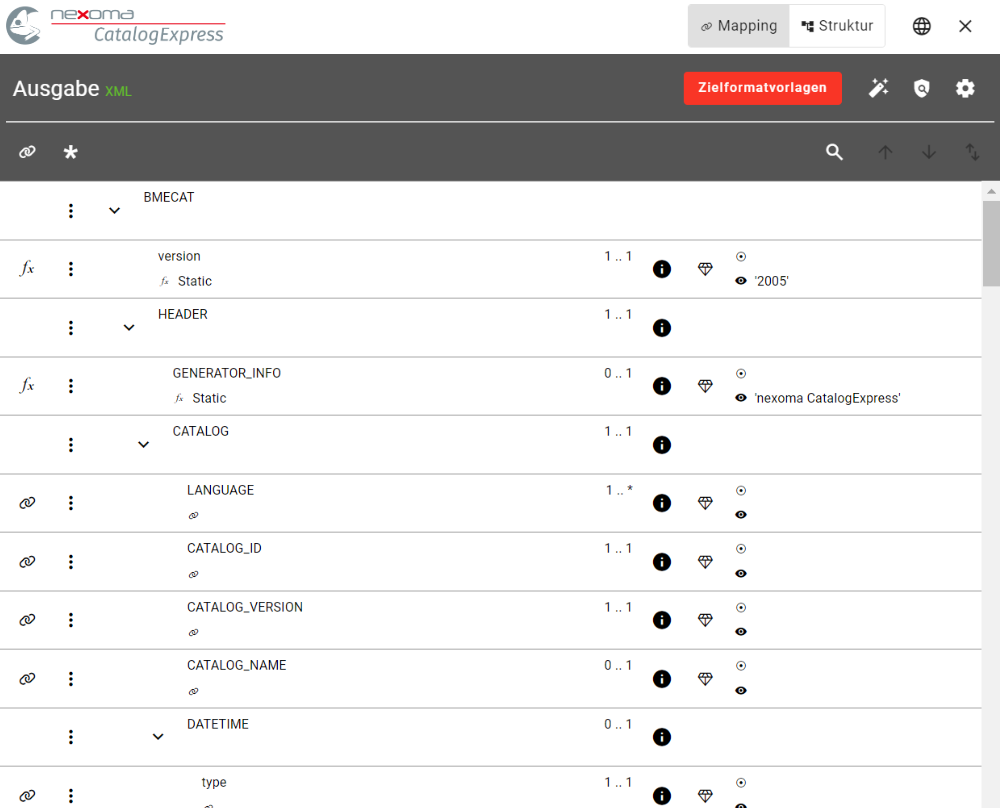
The wide range of optional features—such as the ability to process only specific product categories based on filter criteria—enables you to prepare data in a highly detailed and precise manner.
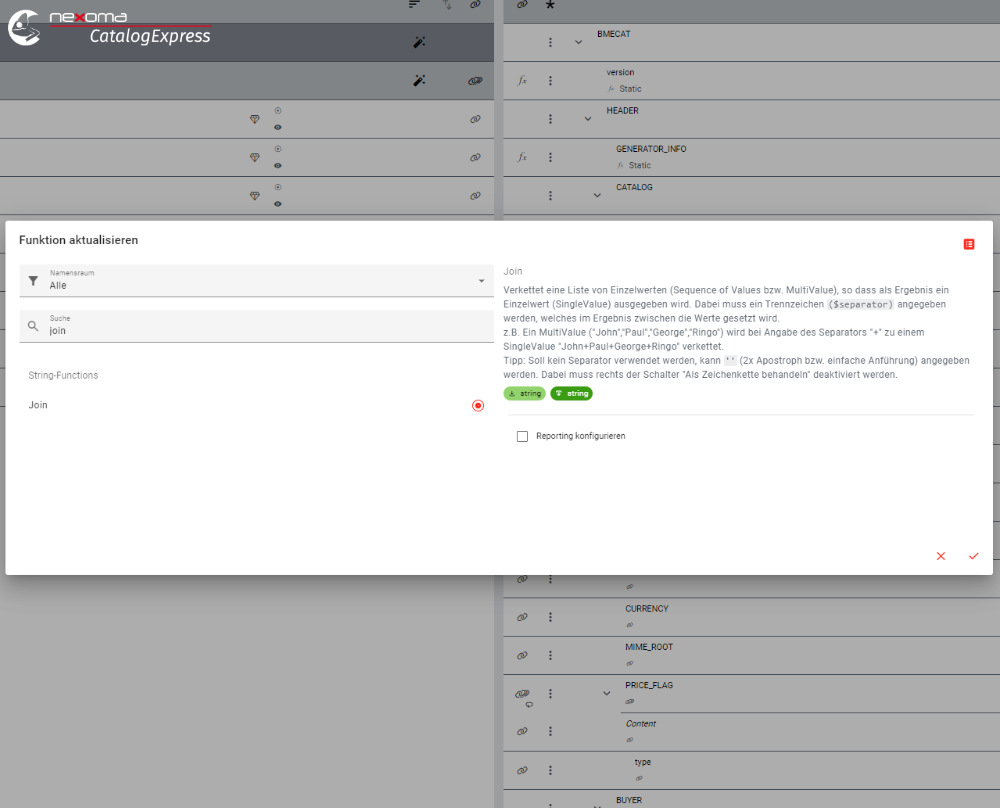
For example, do you have several short descriptions and want to combine them into one long description? That’s easy to do with the “Join” feature in CatalogExpress.
Generation of the exchange format and automated delivery:
After data mapping, you can now export the data in the required format based on the adjusted data. In this case, you generate a BMEcat 2005 file in ECLASS version 7.1 for simple system.
Thanks to the direct connection to simple system via an FTP server, you can also set up a regular, automated transfer of your generated product feed to simple system. CatalogExpress then synchronizes your data fully automatically and makes it available as desired without any manual effort.

Jan Müller is a marketing manager at nexoma GmbH in Arnsberg, in the Sauerland region. As a trained e-commerce specialist, he has extensive knowledge of Product Data. In his role as Partner Manager, he ensures smooth collaboration between nexoma and its partners. In addition, he regularly writes explanatory articles on data standards and other topics related to Product Data management for the nexoma website.
FAQ – Frequently asked questions
CatalogExpress optimizes and automates the provision of Product Data and prices for platforms such as simple system and Mercateo. Through automated mapping and support for data standards such as BMEcat and ECLASS, you save time and ensure that your product information is always up-to-date and accurate.
With CatalogExpress, you can easily generate, manage, and automatically publish data formats such as BMEcat and ECLASS. The software supports a wide range of exchange formats and enables easy integration with existing PIM and ERP systems.
Nexoma is an interdisciplinary team of project managers, software developers, and designers based in Arnsberg in the Sauerland region. With more than 20 employees, we develop software solutions for optimal product data management. To this end, we offer the software products CatalogExpress and Supplier-Portal via the SaaS model.
Nexoma supports you every step of the way—from analysis and design to development and implementation—in your software projects. The goal of these solutions is to streamline the transformation and distribution of Product Data, as well as the onboarding of supplier data.
Sources
- nexoma:
- CatalogExpress: https://nexoma.de/catalogexpress/
- Data Syndication: https://nexoma.de/data-syndication/
- Blog post “Digestiv”: https://nexoma.de/was-sie-vom-digestif-fuer-product-data-syndication-lernen/
- Windmuehlenbauer Management Consulting
- Mercateo: How does the Mercateo Procurement Portal work?
- Simple System: Simple System Explained for Suppliers ➡️ B2B Marketplace