Imagine your products landing directly in your customers’ purchasing systems—in real time, with up-to-date prices and availability. Dynamic catalogs, also known as punchout catalogs, make this possible. They help you, as a supplier, increase sales and customer loyalty. This article provides an overview of the three most important approaches: cXML punchout, OCI catalog, and IDS Connect.

What are dynamic catalogs?

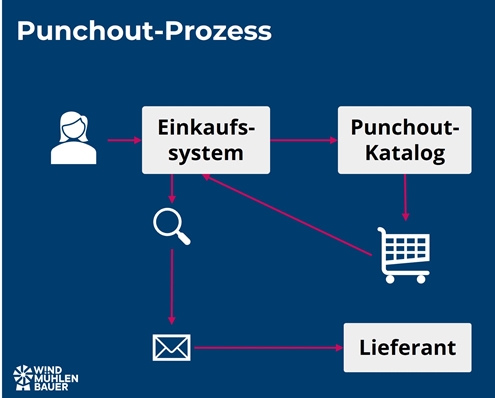
Dynamic catalogs seamlessly connect websites (e.g., web shops) with the customer’s purchasing system. Unlike static catalogs such as BMEcat or DATANORM, they update themselves in seconds without manual maintenance. Punchout catalogs can be integrated into ERP systems (e.g., SAP, HERO), e-marketplaces (e.g., simple system), or e-procurement systems (e.g., coupa, SAP Ariba). After implementation, the customer’s specialist departments are given access to the catalog. The respective employee selects the supplier and is automatically redirected to the dynamic catalog. There, the desired items are placed in the shopping cart and transferred back to the purchasing system. An order has now been created. The usual processes then take place, such as approval by the budget manager and transmission of the order to the supplier.
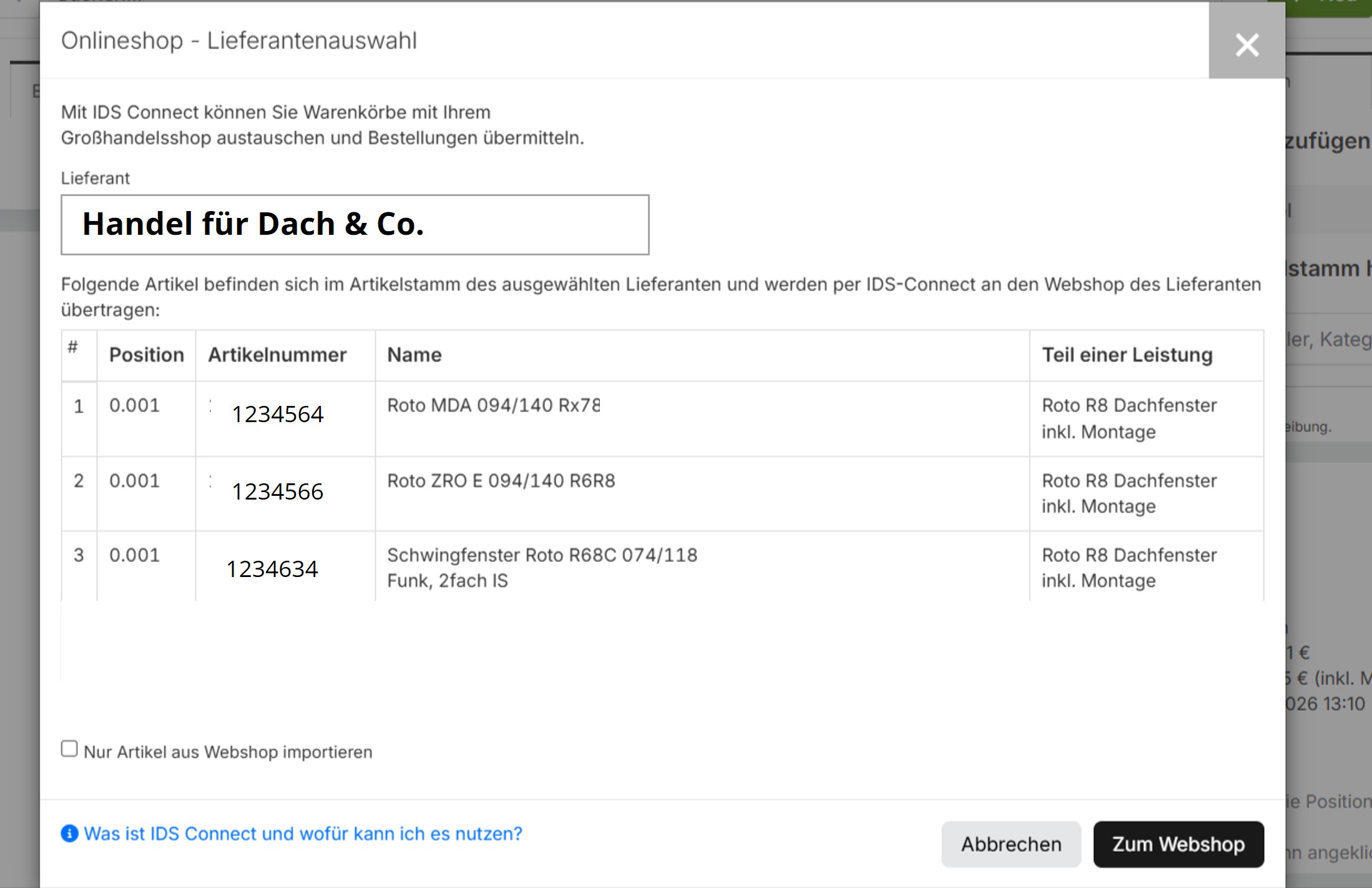
punchout catalog
Jump to the punchout catalog from the HERO ERP system

What are the advantages of such catalogs?

As a supplier, you benefit from the following advantages:

  • You stay in control of your data: prices, stock levels, and configurations are always up to date.
  • Customer uses your solution (e.g., online shop) but stays in their shopping system.
  • Fewer errors, no price differences or queries

An overview of the three technical approaches

Each approach integrates external punchout catalogs into customer systems. The technology varies depending on industry standards and system landscapes.

OCI Catalog (Open Catalog Interface)

OCI, developed by SAP, is the standard for ERP and e-procurement systems such as SAP, Onventis, and Mercateo/Unite. This standard is particularly prevalent in large purchasing organizations. The goal is always to use current item data and prices for purchase orders.

cXML Punchout

cXML punchout is used in e-procurement systems such as SAP Ariba or Coupa. Its purpose is the same as that of the OCI catalog. Only the technical structure differs.

IDS Connect for craftsmen

Immer mehr Handwerksbetriebe, aus dem Branchen SHK (Sanitär-Heizung-Klima), Elektro oder Bau, setzen auf Handwerkersoftware. Diese spezialisierten ERP-Systeme haben die Standardschnittstelle IDS-Connect bereits integriert. Damit kann der Artikelstamm aktualisiert werden, Angebote geschrieben oder Bestellungen getätigt werden.

Why are punchout catalogs an important sales argument?

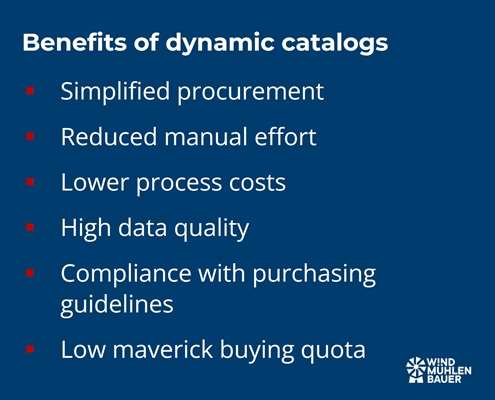
Does your customer use the “Preferred Supporter” label? Then you are dealing with a modern company. These customers reward suppliers who simplify the purchasing process. For example, through interfaces that help with data maintenance. That is why the ability to offer punchout catalogs is an important selling point. Because it can deliver the following benefits to the customer:

  • Simplified procurement: Employees place orders in their own system without media discontinuity or manual order forms.
  • Manual effort is reduced: item data and prices are transferred automatically, eliminating the need for manual order entry.
  • Reduction in process costs: Transaction costs per order are falling significantly
  • High data quality: Always up-to-date prices and availability
  • Compliance with purchasing guidelines: Budgets and approval workflows are automatically applied and can be set across suppliers.
  • Low maverick buying rate: High user-friendliness means employees use the predefined channels.
  • Assortment management: Integration means that preferred suppliers are “firmly established,” allowing orders to be bundled with the “preferred supplier.”
punchout catalog

How do I acquire the technical ability?

The classic approach involves using your own online shop and programming the required interfaces. This approach makes sense, as customer-specific prices, availability, and product data are already available in the web shop. A punchout catalog can also be implemented in other ways. The following methods are used in the market:

  • In-house development: Developing the interfaces ourselves and keeping them up to date
  • Plugins: Purchasing a plugin (external extension) turns the online shop into a punchout catalog. These modules are ready-made extensions for systems such as Magento, Shopware, Shopify, or Adobe Commerce.
  • Out-of-the-box solution: Standard solution that generates a punchout catalog at the touch of a button using data from Excel or BMEcat. This is the cost-effective and fast solution.

Can my customer find the items using the search function in the shopping system?

Dynamic catalogs are controlled by jumping to an external website and transferring the shopping cart back. Therefore, the items cannot be found using the cross-supplier search in the ERP or purchasing system.

This disadvantage was recognized and solved with further developments in punchout techniques. With the following versions, no jump is necessary and items are displayed via the comprehensive search:

  • OCI 5.0 with Background-Search
  • cxML Punchout Level 2

What are the requirements for product data?

In addition to images, descriptions, documents, and customer net prices, there are two important pieces of information. These include the units of measure and the classification code.

Units of measure

Unit of measure (UOM) refers to the code that defines the unit to which the net price relates. For example, the code C62, ST, or STK can be used for the unit “piece.” These are stored for each item and must be harmonized with the customer’s logic. If the code or value is not stored with the customer, a transmission error will occur.

Classification Code

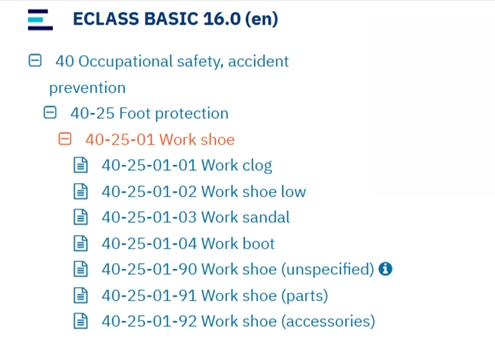
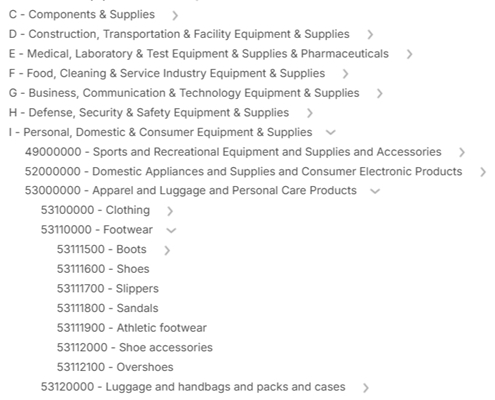
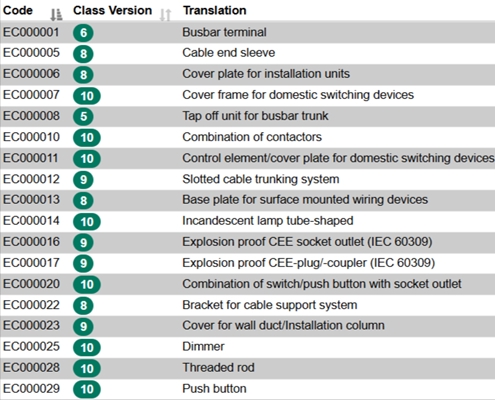
Classification codes are used for purchasing and financial processes. The E-Class, UNSPSC, and ETIM standards have become established. These specify the product group and partially standardize the product characteristics (e.g., ETIM). This code must be transferred for each item in the shopping cart when it is sent to the customer system.
Conclusion

Dynamic catalogs make your sales more efficient. This is because the painstakingly negotiated framework agreement is anchored in the customer’s system. This increases your visibility and allows the customer’s specialist departments to order items quickly.

That’s why it’s a good idea to invest in punchout catalogs. With modular systems that let you expand your online shop using plugins, or out-of-the-box solutions that generate a complete dynamic catalog from an Excel file at the click of a button, you can make big strides even on a small budget.

My recommendation: Start with an out-of-the-box solution. This can be set up in 2-3 hours and implemented immediately with your first pilot customer. Inform your colleagues in IT or the online shop team and sell this as a first step to conserve their resources. Your first customers will be thrilled, and you will have good arguments for implementing it in your own online shop!

Expert in corporate development

Peter Prütting is an expert in value-oriented and digital business development. With over 15 years of sales experience from the perspectives of wholesale, manufacturing, and e-marketplaces, he takes a holistic view. His colleagues value him as a customer-centric and focused leader who guides teams through digital transformation. Away from his daily work, he recharges his batteries by mountain biking.

Looking for a punchout catalog?

We help you find the right solution and implement it quickly.

FAQ – Frequently asked questions

What exactly is a dynamic catalog?

A dynamic catalog (also known as a punchout catalog) connects your online store directly to your customer’s purchasing system. Prices, availability, and product data are automatically transferred in real time. This allows your customer to access, select, and order your products directly in their system—without having to enter any data manually.

What is the difference between dynamic and a static catalogs?

A static catalog (e.g., DATANORM, BMEcat) must be updated manually on a regular basis. A dynamic catalog, on the other hand, updates itself automatically via an interface. Changes to prices or items are visible immediately, saving time and avoiding errors.

What are the advantages for me as a supplier?

Your data remains up to date and under your control. Customers can see your prices and stock levels directly. Order processes run faster and without errors. You retain your customers in the long term, which increases your chances of follow-up orders.

What types of dynamic catalogs are there?

Different standards are used depending on the customer system:
➡️ IDS Connect: mainly used in craftsman ERP systems such as HERO.
➡️ OCI catalog (Open Catalog Interface): standard for SAP, Onventis, or Mercateo.
➡️ cXML punchout: frequently used for large platforms such as SAP Ariba or Coupa.

How can I provide such a catalog?

There are three ways: #1 In-house development: You program the interface yourself. #2 Plugin: You purchase an extension (e.g., for Shopware, Magento, Shopify). #3 Standard solution: You use a ready-made “out-of-the-box” version—ideal for a quick start.

What are the requirements for product data?

Complete product information is important. In addition, the units of measurement must be coordinated. Most customers also require classification codes according to E-Class, UNSPSC, or ETIM standards. This information is crucial for ensuring that data exchange with the customer’s system runs smoothly.

Can my items be found through the customer’s search?

This was not possible in older versions, as the process involved jumping to an external website where the shopping cart was sent to the original system. Newer versions such as OCI 5.0 or cXML Punchout Level 2 offer an integrated search function, meaning that your items appear directly in the search results of the customer’s system.

Why do dynamic catalogs increase my sales?

Because your products are right where customers shop. No unnecessary searching or detours via websites are necessary. This increases convenience and trust and leads to additional sales.

Sources

Acquiring new customers is notoriously exhausting and costs a lot of time and money. Existing customers have already been acquired and greater integration of the supplier into its customers’ processes increases customer loyalty. The cXML punchout catalogue makes an important contribution to this and optimizes the sales process.

Introduction to cXML Punchout Catalog

cXML-Punchout is a standardized interface that facilitates the exchange of Product Data between suppliers and purchasing organizations. This technology was developed by Ariba (now SAP Ariba) to make the integration of product catalogs into purchasing systems efficient and error-free. By using a cXML punchout catalogue, the ordering process is optimized as Product Data is transferred to the purchasing system in real time as part of an order.

➡️ cXML (Commerce eXtensible Markup Language) is a structured format for the exchange of Product Data and messages (e.g. orders) between companies

The ordering process via cXML Punchout

The purchasing process with a cXML punchout catalog takes place in several steps, which can be implemented in purchasing systems such as SAP Ariba or coupa :

Step 1: Supplier selection

The buyer opens his purchasing system and selects the
supplier required. This functionality is available in all standard
purchasing systems.

punchout catalog

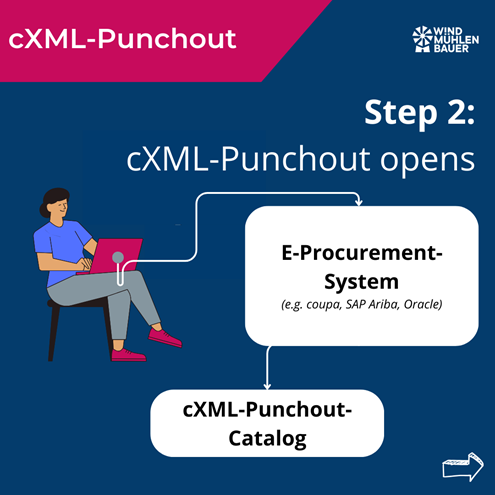
Step 2: Opening the Punchout catalog

After selecting the supplier, the cXML Punchout catalog is opened automatically.

cxml-punchout

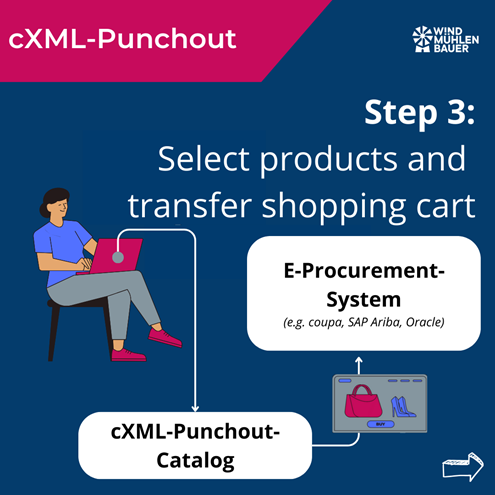
Step 3: Product selection

The buyer selects the desired products and adds them to their shopping cart

cxml-punchout

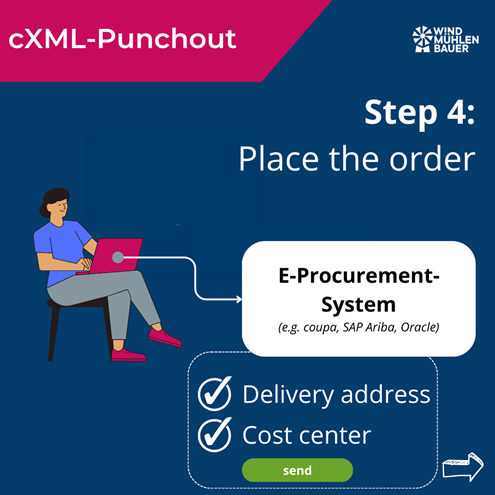
Step 4: Transfer and order

The filled shopping cart is transferred to the purchasing system. There, the buyer enters the delivery address and the cost center and sends the order.

cxml-punchout

Step 5: Internal release and dispatch

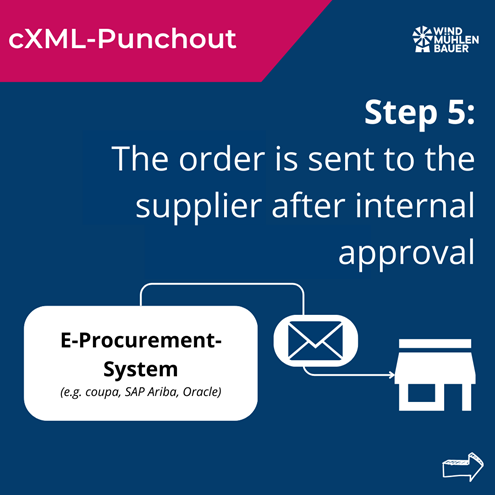
After internal approval, the order is sent to the supplier, who will deliver the goods. The ordering process is independent of the Punchout catalog. The ordering process runs as usual. If the exchange of PDF orders via e-mail has been agreed, the purchasing company will also continue to send PDFs.

cxml-punchout

Overall process:

The buyer selects the desired supplier in the purchasing system. After the selection, the supplier’s cXML Punchout catalog is opened automatically. The buyer selects the desired products and places them in the shopping cart. The filled shopping cart is transferred to the purchasing system, where the buyer enters the delivery address and cost center and sends the order. After internal approval, the order is sent to the supplier, who delivers the goods.

Advantages of a cXML Punchout catalog for suppliers

  • Increased visibility: Product Data, prices and availability are displayed directly in the purchasing organization’s purchasing system. This increases findability and sales.
  • Time savings and error reduction: Automated processes reduce manual effort and minimize input errors.
  • Real-time updating: Product information and prices can be updated at any time. This ensures that the supplier’s and customer’s database is always up to date.
  • Competitive advantage: The provision of a cXML punchout catalog can be a decisive factor in the selection of a supplier.
  • Customer loyalty: Simplified and faster order processing increases customer satisfaction.
  • Automation of business processes: The database enables error-free automation of downstream processes such as order and invoice management.

Advantages for purchasing companies

  • Increased efficiency: The direct integration of supplier catalogs into your own purchasing system simplifies the ordering process.
  • Reduced error rate: Automated data transfers minimize the risk of manual input errors and misunderstandings.
  • Transparency: Access to current product information, prices and availability without having to ask the supplier.
  • Time saving: Fast and uncomplicated ordering processes save time for productive activities.
  • Improved collaboration: Standardized processes improve collaboration with the supplier.

Integration of cXML Punchout

Supported systems

cXML Punchout can be integrated with various purchasing systems, including:

Implementation options

  • In-house development: Companies can develop their own cXML interface for their online store. This method offers a high degree of flexibility, but requires internal development and service expertise.
  • Standard solutions: Standard software solutions that have been specially developed for cXML integration are ready for use at short notice and are more cost-effective thanks to usage-based fees.
  • Plugins: Ready-made plugins are available for common store systems. The interface can be used by activating it in the online store, provided that the store system (Shopware, Magento) is used as standard without individual adjustments.

Conclusion

A cXML punchout catalog helps to optimize the sales and purchasing process. It offers considerable advantages for suppliers and purchasing companies by increasing efficiency, reducing errors and increasing customer loyalty. Whether through in-house development, standard solutions or plug-ins – the integration of a cXML punchout catalog accelerates the sales process and creates customer loyalty.

Expert in corporate development

Peter Prütting is an expert in value-oriented and digital business development. With over 15 years of sales experience from the perspectives of wholesale, manufacturing, and e-marketplaces, he takes a holistic view. His colleagues value him as a customer-centric and focused leader who guides teams through digital transformation. Away from his daily work, he recharges his batteries by mountain biking.

Looking for a punchout catalog?

We help you find the right solution and implement it quickly.

FAQ – frequently asked questions

What is cXML Punchout and who invented it?

cXML Punchout is a standardized interface developed by Ariba (now SAP Ariba). It allows Product Data to be exchanged quickly between suppliers and purchasing organizations.

What does the process of an order via the cXML Punchout catalog look like?

The process includes selecting the supplier, opening the Punchout catalog, selecting the product, transferring the shopping cart to the purchasing system and sending the order.

How does a cXML punchout catalog optimize the sales process?

It minimizes manual entries and errors, simplifies order placement and strengthens customer loyalty through convenient order processing.

What advantages does a cXML punchout catalog offer suppliers?

The benefits include increased visibility in the customer system, time savings, real-time updating, competitive advantages and stronger customer loyalty.

What advantages does a cXML Punchout catalog offer purchasing companies?

Increased efficiency, reduced error rate, transparency, time savings and improved cooperation with suppliers.

With which systems can a cXML Punchout be integrated?

SAP Ariba, Coupa, Oracle

What options are there for offering your customers a cXML Punchout?

In-house developments, standard solutions or plug-ins for existing store systems.

Sources

The integration of product data in the customer’s system is a milestone in sales. There is a smart way to do this, known as the Open Catalog Interface. The terms OCI-Catalog, OCI-Shop or OCI-Connection are also commonly used. Find out how Open Catalog Interface helps you to place Product Data with your customers.

What is OCI and who invented it?

Open Catalog Interface (OCI for short) is a standardized interface for the error-free exchange of Product Data between suppliers and buyers. This technology was developed by SAP to simplify the process of catalog integration in purchasing platforms. By using OCI, suppliers can integrate their Product Data into their customers’ purchasing system in real time. This simplifies and accelerates the ordering process.

What does the process of ordering via the OCI catalog look like?

Employees from sales, customer service or IT only have a few contact points with the customer’s purchasing process. This is why terms such as OCI-Catalog, OCI-Shop or OCI-Connection have become commonplace. All these terms describe the following process:

oci

Step 1:

Open the e-procurement system and select the supplier. This is possible in all standard e-procurement systems and e-marketplaces such as Onventis, Newtron, DIG, mercateo unite, simple system, SAP SRM, BeNeering.

oci

Step 2:

The OCI catalog opens.

oci

Step 3:

Select products and transfer shopping cart

oci

Step 4:

Place the order in the e-procurement system and enter the delivery address and cost center. Afterward, send the order.

oci

Step 5:

The order is sent to the supplier after internal approval. The order can be sent as a PDF via e-mail or automatically via EDI (electronic data interchange). This is independent of the OCI catalog and must be clarified separately.

oci

Overall process:

The employee, often referred to as the consumer, works in the purchasing system. The article data is loaded into the purchasing system via the OCI catalog. Once approved, the supplier receives the order in the usual way.

➡️ There are different expansion stages of the Open Catalog Interface. OCI 4.0 is described in the process above. For this, the customer must briefly leave the e-procurement system to select the desired products. With OCI 5.0, this exit is optional and the customer finds the articles via the comprehensive search of the e-procurement system.

How does an OCI catalog optimize the sales process?

An OCI catalog optimizes the sales process on several levels. Firstly, it enables seamless integration of Product Data into customers’ purchasing systems, minimizing manual entries and errors. By e-procurement systems, we mean e-procurement systems (SAP Ariba, Onventis, Newtron), e-marketplaces (simple system, mercateo unite) or ERP systems (SAP).

Secondly, order placement is simplified by providing product information and prices in the customer system. The OCI catalog acts like a quotation from which the customer can order directly if required without having to obtain a separate quotation.

Thirdly, an OCI catalog promotes customer loyalty, as the purchasing process is considerably simplified and made more convenient for the customer.

Fourthly, this type of product data exchange creates the foundation for subsequent processes. On this basis, orders, order confirmations, shipping notifications and invoices can be processed automatically (EDI).

What are the advantages for suppliers and customers?

Advantages for suppliers

For suppliers, the implementation of an OCI catalog offers numerous advantages:

  • Increased visibility: products and services are displayed directly in the customer’s e-procurement system.
  • Time savings: Automated processes reduce the effort required for manual entries and error corrections.
  • Up-to-date: Product information and prices can be updated in real time.
  • Competitive advantage: The provision of an OCI catalog can be a decisive factor in supplier selection and item selection in day-to-day business.
  • Customer loyalty: Simplified order processing increases customer satisfaction and loyalty.
  • Automation of business processes: An OCI catalog ensures that suppliers and customers work from the same database. This allows follow-up processes (e.g., orders, invoices) to be automated without errors.

Advantages for purchasing companies (customers)

Customers also benefit considerably from an OCI catalog:

  • Efficiency: The ordering process is greatly simplified by integrating the supplier catalogs into the company’s own e-procurement system.
  • Reduced errors: Automated data transfers minimize input errors and misunderstandings.
  • Transparency: Purchasing companies always receive up-to-date information on products, prices and availability.
  • Time saving: Fast and uncomplicated ordering processes enable a more efficient way of working.
  • Improved cooperation: Cooperation between buyer and supplier is strengthened by standardized processes.

Which systems can an OCI be integrated with?

OCI can be integrated with a variety of purchasing systems. The following systems have an OCI interface:

  • SAP ERP (Enterprise Resource Planning)
  • Jaggaer
  • SAP SRM (Supplier Relationship Management)
  • Mercateo Unite
  • Proactis
  • Onventis
  • Infor CloudSuite
  • GEP SMART
  • Basware
  • SynerTrade
  • Newtron
  • Simple system

What options are there for offering your customers the Open Catalog Interface?

There are basically three ways to implement Open Catalog Interface:

  1. In-house development: Companies can develop their own solutions. The standard approach is to program an OCI interface for the existing online store. The advantage of this is that individual requirements can be implemented more easily. The major disadvantage, however, is that this requires considerable development resources and support.
  2. Standard solutions: There are ready-made software solutions that have been specially developed for OCI integration. These are often ready for use more quickly and are more cost-effective than in-house developments.
  3. Plugins: An OCI interface for certain store systems can also be purchased. Ready-to-use plugins are available especially for Magento, Shopware and other store systems.

Conclusion

The Open Catalog Interface (OCI) is a smart tool for seamlessly integrating Product Data into your customers’ purchasing systems. It optimizes the sales process at various levels. From a process perspective, the error-free exchange of orders and invoices is a major efficiency gain for both supplier and customer. It can be integrated into numerous customer systems by means of in-house development, standard solutions or plug-ins. Having an OCI catalog in the service portfolio leads to greater customer loyalty and, in the long term, to increased sales.

Expert in corporate development

Peter Prütting is an expert in value-oriented and digital business development. With over 15 years of sales experience from the perspectives of wholesale, manufacturing, and e-marketplaces, he takes a holistic view. His colleagues value him as a customer-centric and focused leader who guides teams through digital transformation. Away from his daily work, he recharges his batteries by mountain biking.

Looking for a punchout catalog?

We help you find the right solution and implement it quickly.

FAQ – frequently asked questions

What is OCI and who invented it?

OCI (Open Catalog Interface) is a standardized interface developed by SAP for the error-free exchange of Product Data between suppliers and purchasing companies.

What does the process of ordering via the OCI catalog look like?

The purchasing process begins with the selection of the supplier in the purchasing system, followed by the product selection in the OCI catalog, the transfer of the shopping cart and the order in the e-procurement system.

How does an OCI catalog optimize the sales process?

An OCI catalog minimizes manual entries and errors, simplifies order placement and promotes customer loyalty through error-free and fast order processing.

What advantages does an OCI catalog offer suppliers?

It increases visibility, saves time through automated processes, offers real-time up-to-dateness, creates competitive advantages and strengthens customer loyalty.

What advantages does an OCI catalog offer purchasing companies (customers)?

It increases efficiency, reduces errors, offers transparency, saves time and improves collaboration with suppliers.

Which systems can an OCI be integrated with?

OCI can be integrated with systems such as SAP ERP, Jaggaer, SAP SRM, Mercateo Unite, Proactis, Infor CloudSuite, GEP SMART, Basware, SynerTrade and Newtron.

What options are there for offering your customers an Open Catalog Interface?

Options include in-house developments, standard solutions or plugins for existing store systems such as Magento or Shopware.

Sources

Punchout catalogs are also called dynamic catalogs. This is because they are updated in a matter of seconds. This ensures that the latest Product Data, prices and delivery times are available to the customer. In the following sections, you will find out how punchout catalogs interact with your customers’ purchasing systems and what benefits they offer you as a supplier.

What is a Punchout catalog?

A punchout catalog is an integrated connection to the purchasing system of your customer (purchasing company). As a rule, the company’s own online store is used as the basis for the punchout catalog. By changing the shopping cart process, the order is sent via an interface to the customer’s purchasing system rather than to your own system. This catalog is integrated via the cXML or OCI standards. This means that the customer’s purchasing system remains the leading system and subsequent processes can be used as usual.

open catalog interface
cxml punchout catalog

What does the punch-out process look like in concrete terms?

Your customer’s employee logs into their purchasing system. There he selects the relevant Punchout catalog. This automatically redirects the employee and logs them in. In this “catalog”, the employee searches for the desired items and places them in the shopping cart. The interface is usually similar to the supplier’s online store.

Once the shopping basket has been sent, it is forwarded back to the purchasing system. There, the employee can adjust the order or add accounting information (e.g. the cost center). Once the order information has been confirmed in the purchasing system, the process of approval by the cost center manager or supervisor begins. After approval, the supplier receives the final purchase order. This workflow is shown in the following image.

Punchout process from the start in the purchasing system to sending the order to the supplier

Which systems can interact with Punchout catalogs?

There are two standards on the market. The cXML standard is mainly found in systems originating from American regions. The OCI standard is widely used in European systems. All relevant purchasing systems such as e-marketplaces, e-procurement systems or ERP systems can process punchout catalogs. You can find a brief overview here:

Systems that use the cXML punchout catalog:

Systems that use the OCI punchout catalog:

Advantages and disadvantages of Punchout catalogs

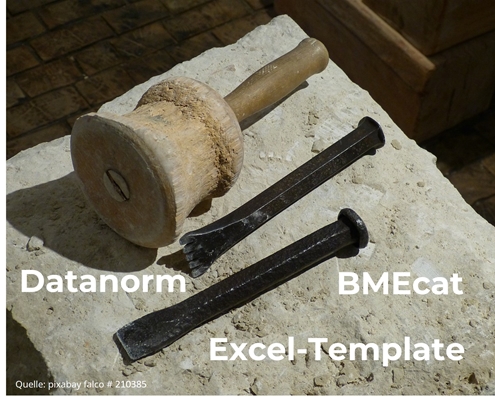
As a rule, your customer has two catalog types that they can integrate into their purchasing system. Static catalogs can be integrated. There are formats such as BMEcat, Datanorm or Excel templates. I like to compare these with stone tablets. Because every time a change is made, a new sheet has to be created and sent to the customer.

electronic catalogs

Dynamic catalogs, on the other hand, update the data in a matter of seconds and reduce the maintenance effort through automation. These include the punchout catalogs presented above. The following table shows the advantages and disadvantages of this type of catalog. There are other functions that reduce the disadvantages. These must be technically mastered and strategically desired by both the supplier and the customer system.

How does onboarding work?

To integrate external catalogs into the purchasing system, you need an online store or website or an external solution (e.g. Primus Shop) with the appropriate interface. Depending on the purchasing system, a cXML or OCI interface must be implemented.

As a first step, I recommend clarifying the commercial details with your customer, such as prices, product range, leading purchasing system and locations or departments authorized to place orders.

On this basis, the punchout catalog can be configured on the supplier side in the second step. Important information such as URL, user or password or shared secret is shared with the contact person of the customer system. This can be a service provider, the customer themselves or the provider of the purchasing system.

In the third step, the integration of the Punchout catalog is implemented and tested. After the successful test, live operation begins. In the optional fourth step, the ordering process for the order and subsequent processes such as goods receipt and invoicing are discussed. This step offers great potential for automation using EDI. You can find details on this process automation in the article “What is EDI?”.

My conclusion

Punchout catalogs have many advantages. Manual updating of data and prices is no longer necessary, as this has already been done in your ERP system (merchandise management system). The customer can view stock levels and order configurable items. As a supplier, this type of catalog is particularly useful for regular changes to Product Data, prices or stock levels. No team is required to create catalogs and upload them to the customer. Unlike static catalogs, no customer approval is required. This saves you time as a supplier, as all order-relevant information is identical in the customer system and your ERP system. This eliminates the need for price differences, ordering “old” items or last-minute appointment requests from your customer.

In addition to the many advantages, dynamic catalogs also have a few disadvantages for the customer. Therefore, it depends on the strategic position and your goal as a supplier. In my experience, it is possible to convince the customer of Punchout catalogs in the medium term. At the latest when the lack of comparability in the purchasing system is restored with OCI Backgroundsearch or Punchout Level 2.

Punchout catalogs qualify you for customers who require Punchout-capable suppliers and increase your reputation with your customers!

Expert in corporate development

Peter Prütting is an expert in value-oriented and digital business development. With over 15 years of sales experience from the perspectives of wholesale, manufacturing, and e-marketplaces, he takes a holistic view. His colleagues value him as a customer-centric and focused leader who guides teams through digital transformation. Away from his daily work, he recharges his batteries by mountain biking.

Looking for a punchout catalog?

We help you find the right solution and implement it quickly.

FAQ – frequently asked questions

What is a Punchout catalog?

A punchout catalog is an integrated connection to the purchasing system of your customer (purchasing company). As a rule, the company’s own online store is used as the basis for the punchout catalog. By changing the shopping cart process, the order is sent via an interface to the customer’s purchasing system rather than to your own system. This catalog is integrated via the cXML or OCI standards. This means that the customer’s purchasing system remains the leading system and subsequent processes can be used as usual.

What does the punch-out process look like?

Your customer’s employee logs into their purchasing system. There he selects the relevant Punchout catalog. This automatically redirects the employee and logs them in. In this “catalog”, the employee searches for the desired items and places them in the shopping cart. The interface is usually similar to the supplier’s online store.

Once the shopping basket has been sent, it is forwarded back to the purchasing system. There, the employee can adjust the order or add accounting information (e.g. the cost center). Once the order information has been confirmed in the purchasing system, the process of approval by the cost center manager or supervisor begins. After approval, the supplier receives the final purchase order.

Are the Punchout interfaces based on standards?

Yes, the interfaces to Punchout catalogs are usually via cXML (Commerce Extensible Markup Language) or OCI (Open Catalog Interface). All relevant purchasing systems such as ERP systems, e-procurement systems or e-marketplaces offer such interfaces.

How can my company benefit from a Punchout catalog?

With a Punchout catalog, you get the following benefits:

– Conduct business through the purchasing systems in the same way as the world’s largest companies
– Qualify for potential key account customers Punchout-enabled suppliers need
– Enhance the shopping experience by creating an environment tailored to your products
– Upsell and/or cross-sell additional products
– Data analysis by tracking customer and search behavior

What is a Punchout catalog level 2?

A Punchout catalog level 2 is a combination of a Punchout catalog level 1 and an index file. The index file, which functions like a static catalog, lists all items that can also be ordered via the Punchout catalog. This combination enables a comprehensive search, and items can be compared and purchased in the purchasing system.

What is the difference between cXML and OCI?

These are two different interfaces that transport Product Data from an external system into the purchasing system. cXML was developed by Ariba and OCI by SAP. The functionality for the end user at the customer is the same for both interfaces.

What functions can be added to OCI punchout catalogs?

Additional functions can be added to the OCI interface. These must be supported by both the supplier and the customer system.

DETAIL: Creates a link in the purchasing system. This allows quick access to further product information in the OCI catalog.

VALIDATE: Price and delivery time changes are queried when the shopping cart is transferred.

BACKGROUND_SEARCH: Searches carried out in the purchasing system are also carried out in the OCI catalog and displayed in the purchasing system.

Sources